
SSE vs SignalR: choosing the right real-time tool in .NET 10
In modern applications, and for a long time now, real-time communication between clients and servers has been very important. It’s used in streaming, dashboards, notifications, and many more features.
In .NET, we have many options: we can either use the SignalR library to achieve this, or rely on the newly introduced native support for server-sent events (SSE) in ASP.NET Core 10.
Choosing which one to use isn’t that hard; it really depends on what your application needs. Is it one-way communication, or two-way communication? Let’s explore the difference between the two, and where each one shines best.
We’ll look at what SSE is and how to create a basic implementation with it, as well as what SignalR is and how to create a basic implementation with it. Later on, in a future post, we’ll dive deeper into both of them to see how we can utilize most of their features.
Server-Sent Events
What is SSE?
Server-Sent Events is a technology that allows the web server to send data to a browser/client automatically, over a single, long-lasting HTTP connection. The browser only has to ask for the information once, and it will keep the connection open with the server.
It’s a one-way communication flow, which means the data only moves from server to client. The connected client would not be able to send messages that will be read by the server via this connection.
The connection between the browser and the server is a standard HTTP connection, that uses the text/event-stream content-type, and stays open to push updates whenever they happen.
In case the connection drops, browsers will try to reconnect on their own, without requiring any additional code.
How to implement it in ASP.NET Core 10
Was it impossible to implement SSE prior to ASP.NET Core 10?
No, it wasn’t impossible, but there wasn’t direct native support for SSE in ASP.NET Core prior to .NET 10. However, since the SSE protocol is a simple HTTP connection that must remain open, use the content-type text/event-stream, and flush after every event, it was possible to create a basic implementation in C# prior to that as follows:
app.MapGet("/events", async context =>
{
    context.Response.Headers.Append("Content-Type", "text/event-stream");
    context.Response.Headers.Append("Cache-Control", "no-cache");
    context.Response.Headers.Append("Connection", "keep-alive");

    var cancellation = context.RequestAborted;

    var counter = 0;

    while (!cancellation.IsCancellationRequested)
    {
        await context.Response.WriteAsync(
            $"data: Current value: {counter++}\n\n",
            cancellation);

        await context.Response.Body.FlushAsync(cancellation);

        await Task.Delay(1000, cancellation);
    }
});
Of course this is a very basic implementation, and you would use other methods to generate the data you’d like to send, but it shows the point of how to do it prior to .NET 10.
It was also possible to send named events, handle multiple clients, and send the data as serialized JSON.
What changed in ASP.NET Core 10?
ASP.NET Core 10 added support for returning a ServerSentEvents result using: TypedResults.ServerSentEvents. It’s supported in both minimal APIs and controller-based apps.
The basic implementation now transforms to:
app.MapGet("/notification", (CancellationToken cancellationToken) =>
{
    async IAsyncEnumerable<NotificationMessage> GetNotificationMessage(
        [EnumeratorCancellation] CancellationToken cancellationToken)
    {
        while (!cancellationToken.IsCancellationRequested)
        {
            var message = NotificationMessage.Create("title", "description");
            yield return message;
            await Task.Delay(2000, cancellationToken);
        }
    }

    return TypedResults.ServerSentEvents(GetNotificationMessage(cancellationToken), eventType: "notification");
});
Again, this is just a simple implementation. In your real-life scenario, you would be relying on background services to push messages to a channel, for example, which can be listened to and used to send messages when they arrive on that channel. We will dive deeper into a full-blown implementation in a later post, but this one is just to showcase the newly added functionality and compare it to SignalR.
Same as before, you can still send named events and handle multiple clients.
Here are the main changes that the framework now handles for you:
| Responsibility | Before .NET 10 | .NET 10 |
|---|---|---|
Content-Type: text/event-stream |
Manual | Automatic |
Event formatting (data:, id:, event:) |
Manual | Automatic |
| JSON serialization | Manual | Automatic |
| Response flushing | Manual | Automatic |
| Connection lifetime | Mostly manual | Integrated with cancellation |
| Returning typed objects | No | Yes |
| Named events | Manual text formatting | SseItem<T> |
| Event IDs | Manual text formatting | eventId property |
| Retry interval | Manual text formatting | reconnectionInterval property |
One important thing that didn’t change is handling the event pipeline. The new API is simply a protocol abstraction, and not a whole infrastructure. You’re still responsible for managing the event pipeline such as channels, queues, background services, or message brokers.
Another important thing that didn’t change is client code. If you switch to .NET 10 and implement SSE using the newly introduced API, your client code doesn’t change at all, which is a big bonus!
The client can connect to those events using simple JS:
const source = new EventSource("/notification");

source.onmessage = (e) => {
  console.log(e.data);
};
SignalR
What is it?
SignalR is an open-source library that adds real-time functionality to your web applications. It enables server-side code to push content to clients. It can be used for applications that need high-frequency updates from the server, dashboards, applications that require collaboration, and notifications.
SignalR supports three transports for handling the real-time communication, in the following order:
- WebSockets (Preferred for best performance)
- Server-sent events
- Long polling
It will automatically pick the best transport supported by both the server and the client.
SignalR uses hubs for the communication. It’s a pipeline that the client and the server use to call methods on each other, allowing the clients to call the server and vice versa. You can pass strongly typed parameters to methods.
How to implement it
A quick reminder: this is going to be a basic implementation using a Web API and Blazor. A more complete example will be shared in another post.
Start by creating an Aspire starter app (ASP.NET Core/Blazor):
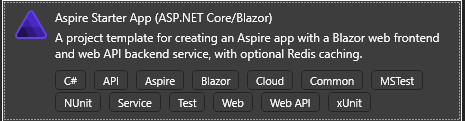
In your API Project, add a SignalR hub (Note that you don’t need to add any extra libraries in the API)
using Microsoft.AspNetCore.SignalR;

namespace AspireApp.ApiService.Chat;

public class ChatHub : Hub
{
    public async Task SendMessage(string user, string message)
    {
        await Clients.All.SendAsync("ReceiveMessage", user, message);
    }
}
In your Program.cs file you need to add the SignalR services, and map your hub:
builder.Services.AddSignalR();

app.MapHub<ChatHub>("/chathub");
In your Blazor app, you’ll need to add the SignalR client library: Microsoft.AspNetCore.SignalR.Client.
Create a Chat.razor page and use the following code:
@page "/chat"
@using Microsoft.AspNetCore.SignalR.Client
@rendermode InteractiveServer
@inject IConfiguration Configuration
@implements IAsyncDisposable

<PageTitle>Chat</PageTitle>

<div class="form-group">
    <label>
        User:
        <input @bind="userInput" />
    </label>
</div>
<div class="form-group">
    <label>
        Message:
        <input @bind="messageInput" size="50" />
    </label>
</div>
<button @onclick="Send" disabled="@(!IsConnected)">Send</button>

<hr>

<ul id="messagesList">
    @foreach (var message in messages)
    {
        <li>@message</li>
    }
</ul>

@code {
    private HubConnection? hubConnection;
    private List<string> messages = [];
    private string? userInput;
    private string? messageInput;

    protected override async Task OnInitializedAsync()

    {
        var url = Configuration["APISERVICE_HTTPS"];

        hubConnection = new HubConnectionBuilder()
            .WithUrl($"{url}/chathub")
            .Build();

        hubConnection.On<string, string>("ReceiveMessage", (user, message) =>
        {
            var encodedMsg = $"{user}: {message}";
            messages.Add(encodedMsg);
            InvokeAsync(StateHasChanged);
        });

        await hubConnection.StartAsync();
    }

    private async Task Send()
    {
        if (hubConnection is not null)
        {
            await hubConnection.SendAsync("SendMessage", userInput, messageInput);
        }
    }

    public bool IsConnected =>
        hubConnection?.State == HubConnectionState.Connected;

    public async ValueTask DisposeAsync()
    {
        if (hubConnection is not null)
        {
            await hubConnection.DisposeAsync();
        }
    }
}
Launch your app, go to the page /chat, and you should be able to test it out from two different tabs/windows:

You can find the demo code here
Comparison
The main differences between SignalR and SSE are the following:
| Feature | SignalR | SSE |
|---|---|---|
| Communication | Two-Ways | Server->Client only |
| Transport | WebSockets, SSE, Long Polling | HTTP Streaming |
| Supports Binary Messages | Yes | No |
| Fallback Mechanisms | Yes | No |
| Browser API | SignalR Client | Native EventSource |
| Groups/Users | Built-in | Implemented Manually |
The actual list is much bigger, but I’ve highlighted the features that I think you should look at when deciding what to choose.
One last difference that is worth mentioning is how lightweight SSE is compared to SignalR given the fewer abstractions, being HTTP-Native, and no hub infrastructure.
When to use what?
The rule of thumb is the following:
If your application is interactive, and both client and server need to exchange messages, go for SignalR. If your application is only for broadcasting updates from the server to clients, go with SSE.
A few examples of applications that are suitable for SignalR:
- Chat application
- Multiplayer games
- Collaborative editing
A few examples of applications that are suitable for SSE:
- AI token streaming
- Live notifications
- Dashboards
Summary
With the addition of first-class SSE support in .NET 10, many scenarios that previously defaulted to SignalR such as AI response streaming, live dashboards, notifications, telemetry feeds, and log streaming can now be implemented with a much simpler and more resource-efficient architecture. SignalR remains the better choice when true bidirectional communication, RPC semantics, or features like groups and user targeting are central to the application.
References
Support for Server-Sent Events (SSE)
Server-sent events - MDN
SignalR - GitHub repository
SignalR - Microsoft Learn